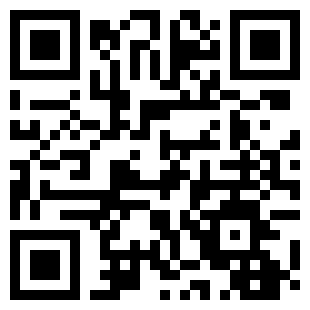
Download Newprint Mobile App on iOS and Android

Custom printing, made simple.

Configure your product, upload your artwork, approve your proof and order. All in one app.

QR code that opens the Newprint app in your phone's app store On a computer? Scan with your phone's camera.
We'll open the right store for your device.
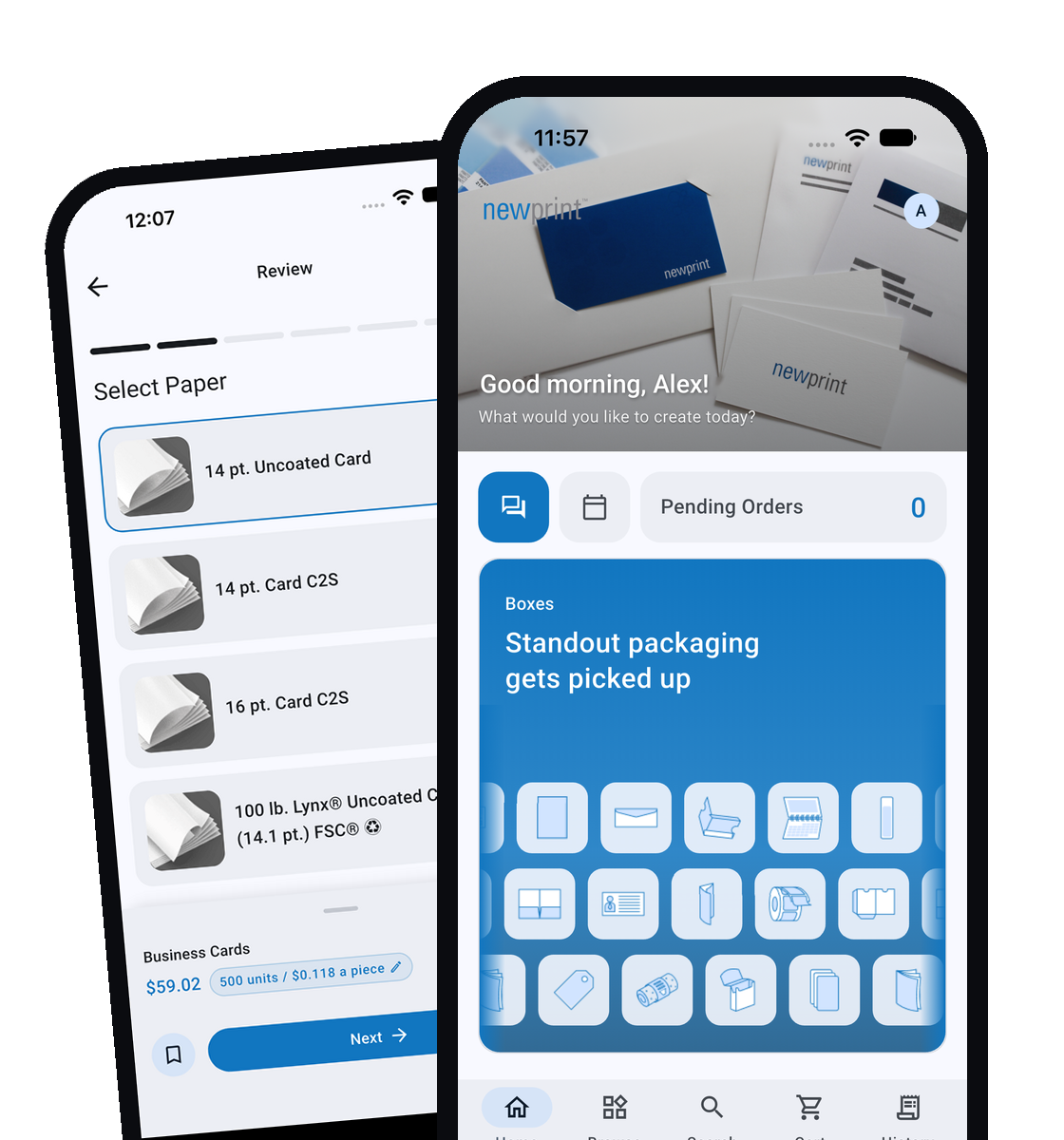
Newprint app home and paper selection screensNewprint app home and paper selection screens
How it works

From idea to order in four steps

Step 1 of 4

Find your product

Browse the same categories you know from the website, or search by name.
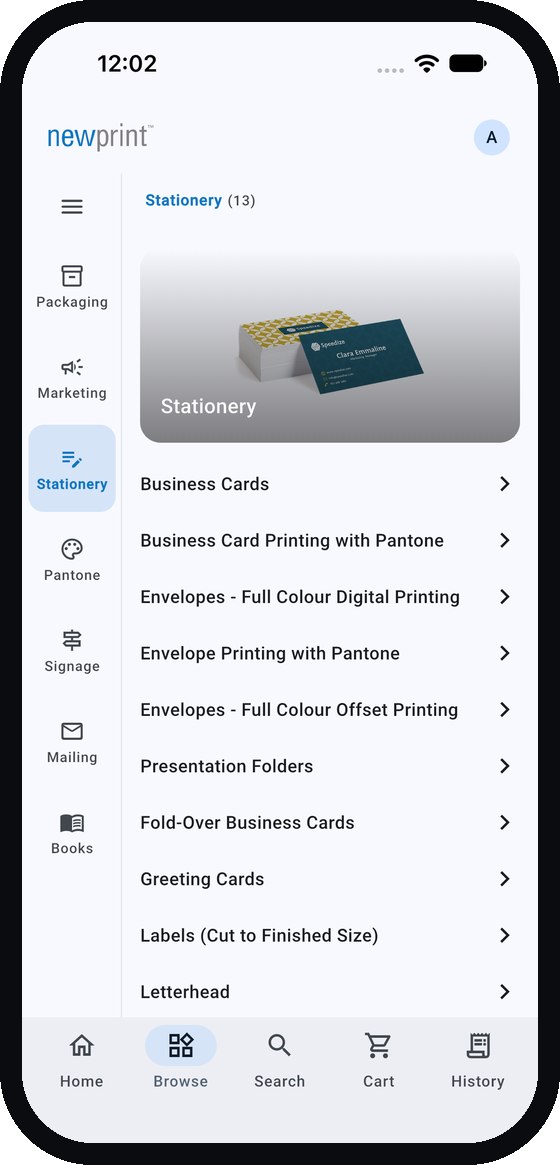
  • Packaging, marketing, stationery, signage, mailing and books
  • Search by product name
  • Photos, descriptions and specs for every product
Browsing products in the Newprint app

Step 2 of 4

Build it your way

Choose every option and see exactly what you'll pay before you commit.

  • Size, paper stock, colours and finishing
  • Price updates with every change
  • Estimated ship date shown up front
Choosing paper stock in the Newprint app

Step 3 of 4

Upload your artwork

Add print-ready files straight from your phone or your cloud storage.
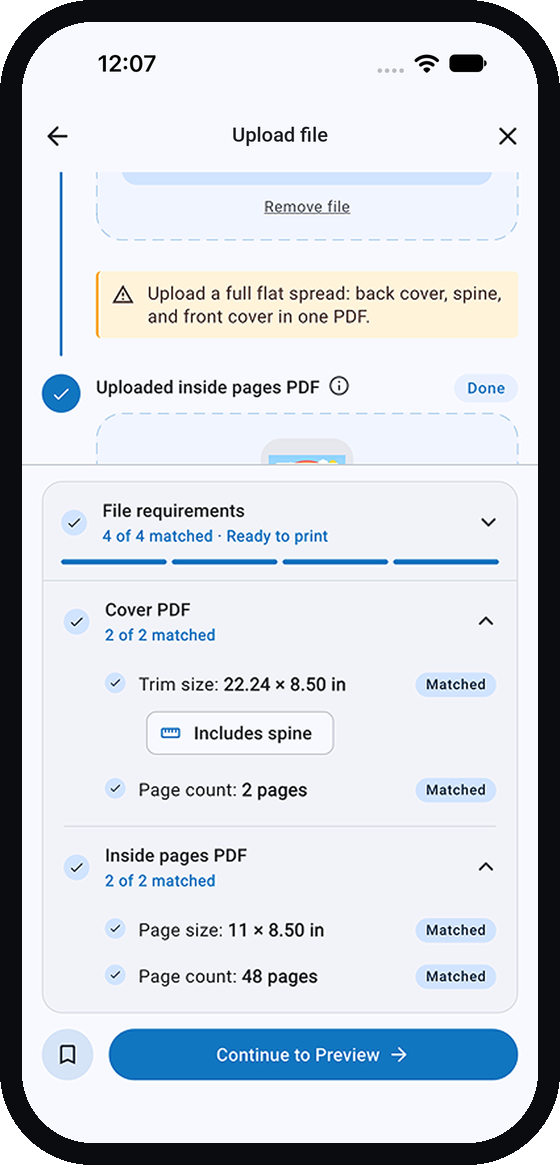
  • PDFs from Files, Google Drive or Dropbox
  • Trim size and page count checked automatically
  • Cover and inside pages uploaded separately for books
Uploading artwork with automatic file checks

Step 4 of 4

Approve and order

Check the production preview, sign your proof and check out.
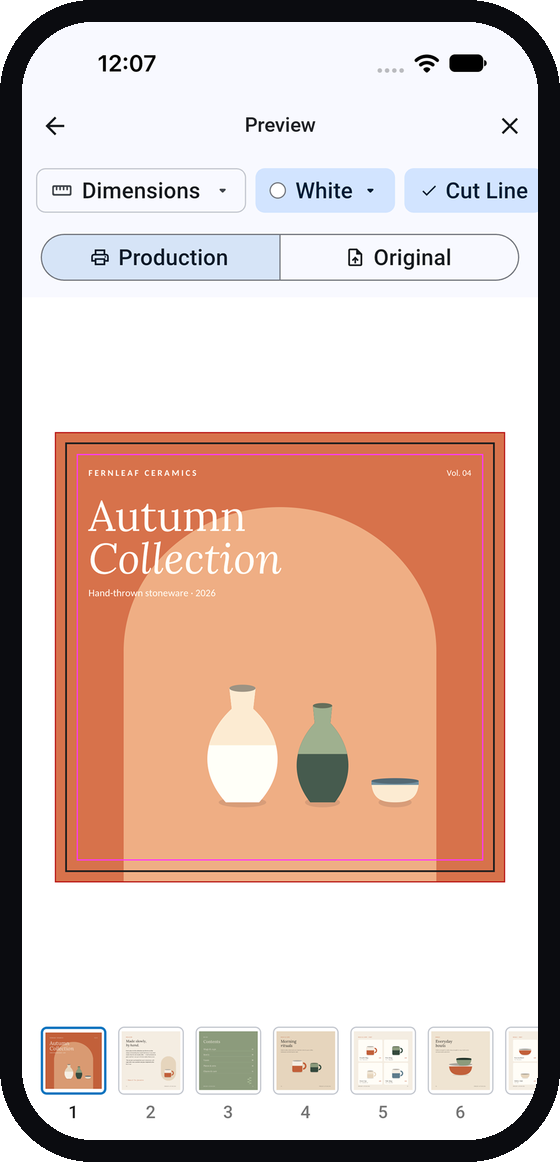
  • Production preview with dimensions and cut lines
  • Sign your proof right in the app
  • Pay online, by purchase order or with store credit
Production preview of artwork before printing
Why use the app

Your print jobs keep moving, even when you're away from your desk

Production preview of artwork before approval
Faster turnaround

Approve proofs on the go

Review your proof and sign off from your phone. Production starts sooner, wherever you are.

Uploading artwork files in the app
No laptop needed

Upload from your phone or the cloud

Pick print-ready PDFs from Files, Google Drive or Dropbox. Page count and trim size are checked as you go.
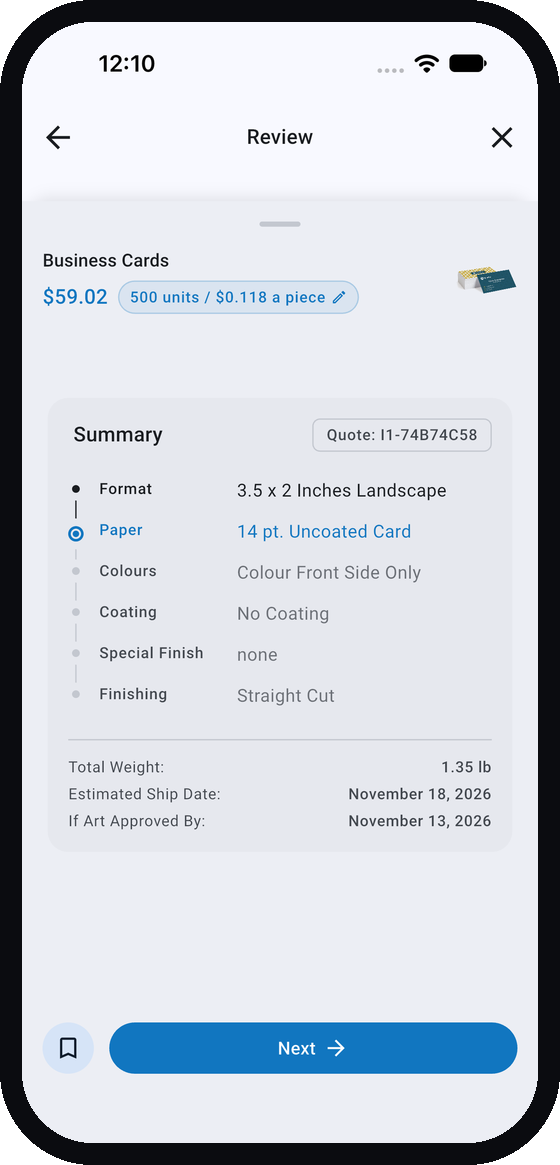
Order summary with quote number and ship date
Always ready

Quote now, order later

Price a job in a meeting or on site, save it as a named quote and move it to your cart when you're ready.

Check out with Apple Pay

Pay in a couple of taps on iPhone, or use a purchase order or store credit.

Help in the app

Chat with our customer service team without leaving your order.

Your orders in your pocket

Order history, details, artwork and order numbers, ready whenever a client asks.

Popular in the app

What will you print today?

Start with what you need. Every product below can be ordered from your phone.

Your next print job is one tap away.

Free for iPhone and Android.

Download on the App Store Get it on Google Play